
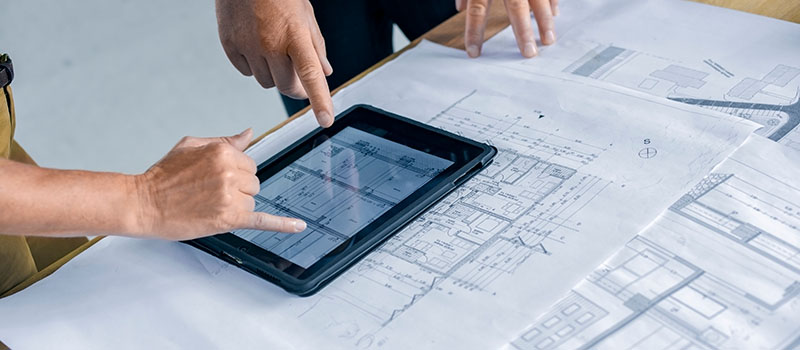
Construction project management software is often evaluated when something starts to feel off on live jobs. Not because teams are not working hard, but because information does not move cleanly once work is underway.
On active construction projects, systems that are almost good enough begin to fail. Updates are spread across messages and emails. Drawings are shared and reused without certainty that everyone is working from the same version. Decisions are made verbally, but not properly recorded.
The impact shows up quickly on site. Work slows while teams wait for answers. Mistakes occur when outdated information is used.
At the decision stage, the question is straightforward. Can your current construction management software support the pace and coordination required when the job is live, or does it create more problems than it solves?
For many construction businesses, this conversation also sits alongside broader system decisions, including how project management software fits with enterprise platforms such as ERP, as explored in Construction ERP Software: A Guide for Australian SMBs.
What Construction Project Management Software Should Do
At a practical level, construction project management software should give teams one place to run the job. Planning, communication, progress tracking, and key records should live together rather than across disconnected tools.
For construction firms, value usually comes from covering important functions efficiently.
-
Planning, scheduling, and task ownership
Tasks should be clearly assigned and dated so responsibility is never assumed. -
Site updates captured as work happens
Photos, notes, and daily activity should be quick to record on mobile devices while crews are on site. -
Document and drawing control
Teams need confidence that the information they are using is current, with clear version history available when needed. -
Issues, defects, and follow-ups
Problems should be logged, assigned, tracked, and closed with evidence attached. -
Variations and approvals visibility
Changes to scope and cost need to be visible so nothing is missed. -
Simple reporting for leaders
Operations and project leaders need a consistent view of risks and blockers across all jobs.
When these elements work together, the software becomes a reliable source of truth.
In practice, construction project management software rarely operates in isolation. It typically works alongside everyday collaboration tools used across site and office, which is why having reliable Microsoft 365 Support is an important part of keeping information accessible, current, and consistent across projects.
How the Right Construction Project Management Tools Improve Project Delivery
The real value of construction project management tools shows up where delivery usually slips.
-
Faster responses to site questions
When queries are logged against the project and visible to the right people, work is less likely to stall while teams wait for clarification. -
Fewer mistakes caused by outdated documents
Centralised document control reduces the risk of teams building from superseded drawings. -
Earlier visibility of emerging risks
Clear progress tracking helps project managers spot delays before they escalate. -
Better control over changes
When variations are tracked with clear approval status, there is less risk of work proceeding without agreement.
In complicated delivery environments, broader governance and risk perspectives consistently emphasise the importance of clear records, traceable decisions, and disciplined systems to reduce operational and commercial risk.
Reliable delivery also depends on the stability and availability of the platforms behind these tools. This places greater importance on having infrastructure that is stable, available, and well managed, including services such as Managed Cloud Services.
How Construction Collaboration Software Improves Coordination Across Site and Office
Coordination issues in construction rarely come from a lack of effort. They usually come from information being scattered across inboxes and personal devices.
Responsibilities are assumed rather than clearly assigned. Changes are made without everyone being aware of them. Important context is lost when updates are not tied back to the job.
Effective construction collaboration software helps close these gaps.
-
Updates linked directly to the project
Conversations, photos, and decisions are stored with the job rather than buried in inboxes. -
Clear task ownership and due dates
Assigning responsibility removes ambiguity and helps teams prioritise work. -
Controlled access for subcontractors and suppliers
External parties can see what they need without accessing the entire project. -
Easier reporting to clients and stakeholders
When information is already structured, reporting becomes simpler and more consistent.
These capabilities reflect broader shifts in professional practice. Insights from project management trends and skills required for 2025 highlight the growing importance of real-time visibility and system-supported accountability in managing complex projects.
Many construction teams are also starting to explore how automation and intelligence can support coordination and decision-making, as outlined in AI in Construction Management: Streamlining Projects, Saving Costs.
What Effective Construction Management Software Needs to Support
For construction businesses, project management software for construction needs to balance structure with usability. Overly complex platforms often struggle to gain adoption on site, while overly simple tools fail to provide the control leaders need.
Key capabilities to look for include the following.
- Mobile-friendly workflows that support fast updates from site
- Document and drawing control with clear version history
- Practical tracking of tasks, issues, and defects
- Clear visibility of variations and approval status
- Permissions and audit trails that show who changed what and when
- Consistent reporting across projects
Clear version control and approval visibility also align with broader building governance principles supported by the Australian Building Codes Board.
Fit questions help prevent costly mistakes.
- Will it integrate with core business systems, particularly accounting?
- Can projects be set up using standard templates?
- How much effort is required to maintain the system long-term?
- What onboarding and support look like in practice?
Compliance also plays a role. Australian construction businesses operate within evolving regulatory environments where documentation and traceability matter.
A Practical Foundation for Better Project Delivery
Getting construction project management software right is less about features and more about how consistently it supports the way work is actually done.
Steadfast Solutions works with organisations that rely on clear processes, dependable systems, and technology that fits the realities of live projects. The focus is not on adding complexity, but on supporting reliable delivery through tools that are practical, well implemented, and easy for teams to adopt.
When software becomes part of the day-to-day rhythm of a project, it reduces surprises rather than introducing them. Information stays current, coordination improves across site and office, and leaders gain clearer visibility without creating extra overhead for their teams.
From there, the conversation naturally shifts to how the right systems can be aligned with your projects, your people, and the way your business operates.
Our IT Services for Construction are designed to support that environment, from site to office.
FAQs
What is construction project management software used for?
Construction project management software is used to plan work, track progress, manage documents, and coordinate communication across site and office teams. It helps reduce delays, minimise rework, and keep project information consistent.
Is project management software for construction different from general PM tools?
Yes. Construction management software is designed to handle drawings, site updates, variations, defects, and approvals, which are not well supported by general project management tools.
How does construction collaboration software help on site?
Construction collaboration software keeps updates, photos, and decisions tied to the job rather than spread across emails and messages. This improves visibility and reduces time spent chasing information.
What should small to medium construction firms prioritise when choosing software?
Small to medium firms should prioritise ease of use on site, clear document control, visibility of variations and issues, and reporting that supports consistent oversight across projects.